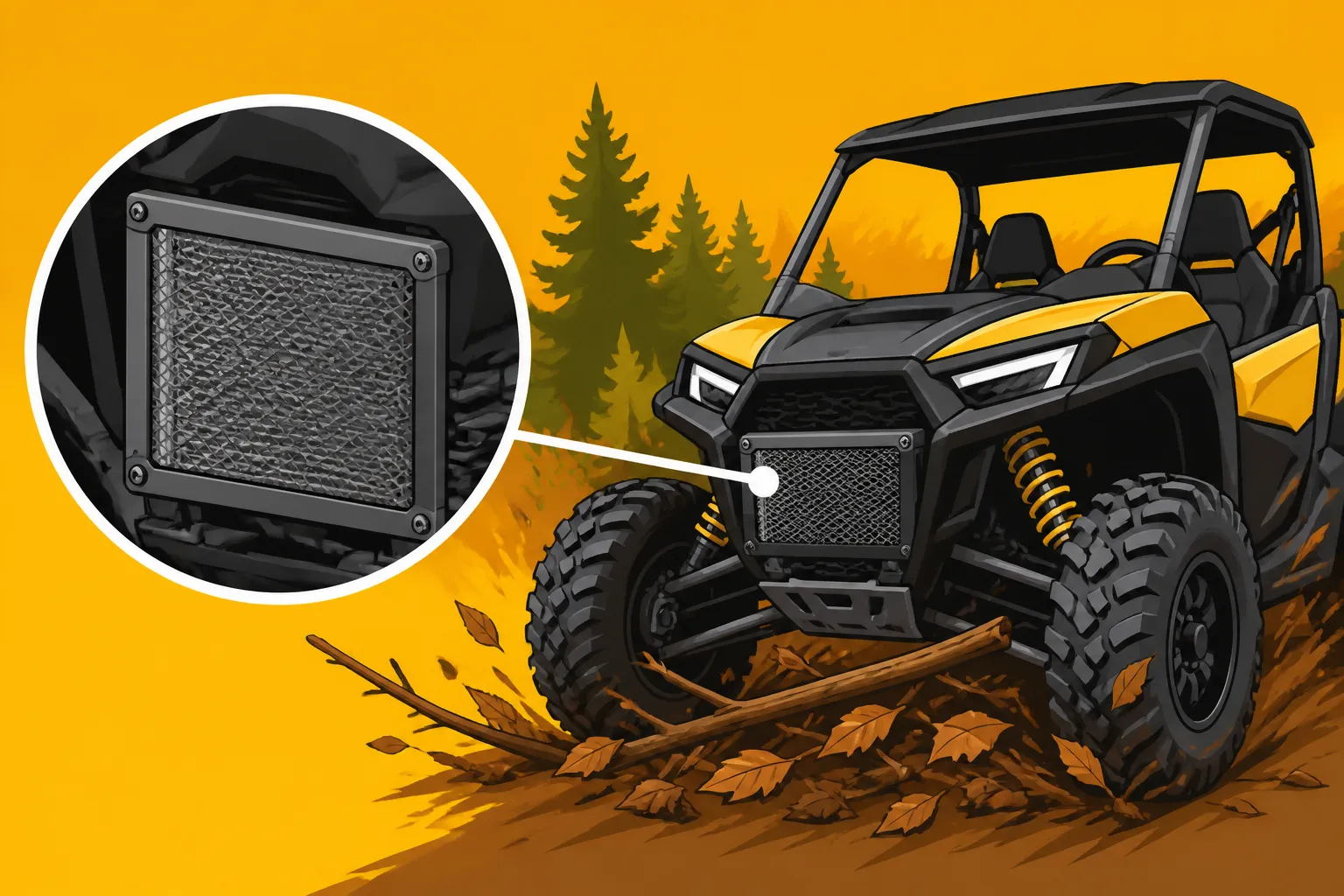
Radiator Screens for Bush Debris
A radiator screen can keep willow fluff, grass seeds, leaves, and trail debris from packing against your ATV or UTV radiator, but a poorly fitted screen can restrict airflow or trap mud. This guide explains how to choose, install, and maintain a screen for Manitoba bush riding—and what to check when the temperature starts climbing far from the trailhead.
Why radiator screens matter on Manitoba trails
The debris that causes trouble
When you ride through brush, the radiator can collect more than loose leaves. Fine seeds, grass, dry plant material, and fluffy willow growth can form a mat across the cooling fins. Mud and wet vegetation can make that blockage heavier and harder to spot. Even a ride that feels cool and easy can put a machine through a stretch of dense brush that quickly fills the radiator face.
The risk is not limited to dramatic overheating. Restricted airflow may make the cooling system work harder, especially during slow riding when there is less natural airflow across the radiator. If a fan is running frequently, the temperature warning appears, or the machine behaves differently than usual, stop somewhere safe and check for an obstruction rather than assuming the problem will clear on its own.
Debris is only one part of the picture. A bent fin, low coolant, a damaged hose, or a fan problem can also contribute to temperature issues. A screen helps keep material off the radiator, but it is not a substitute for regular maintenance or attention to the machine’s warning lights and temperature gauge.
What a screen does and does not do
A radiator screen acts as a removable first barrier. It catches larger debris before it reaches the radiator fins, which can make trail cleanup easier. Depending on its design, it may be fixed to the radiator, attached to a surrounding grille, or mounted so it can be removed for cleaning.
A screen is not a cure-all. Small seeds, dust, and fine mud can still pass through, while wet material can collect on the screen itself. If the screen is too dense, dirty, damaged, or pressed tightly against the radiator, it may interfere with airflow. The goal is not to block everything; it is to balance debris protection with the airflow your machine needs.
It also does not make every route suitable for every machine. Thick vegetation, deep mud, and rough ground can still create problems for the radiator, bodywork, and other components. Before a long ride, check Manitoba Trail Conditions Before You Haul and consider the terrain, recent weather, and how remote the route is. For more on protecting a machine in boggy conditions, see Manitoba Muskeg and Machines.
Choosing a radiator screen for an ATV or UTV
Compare screen material, opening size, and fit
A screen’s material and opening pattern affect both its protection and how easily air can pass through. A mesh that catches large plant material may be easier to clean, while a very fine screen can collect smaller debris but may clog sooner in dusty or muddy conditions. There is no single opening size that suits every machine or riding environment.
Fit is just as important as the mesh. A screen made for a particular model is often easier to position securely than a generic piece that needs trimming and improvised fasteners. Check that the screen leaves room for the fan, hoses, wiring, and any moving parts. It should not rub against the radiator core or press into delicate fins.
Before choosing a replacement or aftermarket option, check the owner’s manual and the manufacturer’s guidance for your machine. Some models have specific radiator layouts or mounting points that affect what will fit. If you are uncertain whether a screen will affect cooling or warranty coverage, ask a qualified dealer or service professional before installing it.
| Screen consideration | What to look for | Why it matters |
|---|---|---|
| Fit | Secure attachment and clearance from the radiator, fan, hoses, and wiring | Helps prevent rubbing, loose parts, or interference |
| Mesh opening | A practical balance between catching debris and allowing airflow | Very fine mesh may clog more quickly |
| Cleaning access | A design that can be inspected and cleaned without awkward disassembly | Makes regular trail maintenance more realistic |
| Durability | Material and fasteners suited to vibration and outdoor use | Reduces the chance of a loose or damaged screen |
| Machine compatibility | Fit and installation guidance for your ATV or UTV model | Avoids relying on a screen that does not suit the radiator layout |
Think about the ride, not just the machine
The best choice depends partly on where and how you ride. A machine used mainly on open trails may encounter less brush than one regularly taken through tight, leafy routes. A family day ride with frequent stops also creates more opportunities to inspect the radiator than a long loop where turning back is difficult.
Planning helps you decide how much protection and cleaning access matter. If you are exploring unfamiliar ground, a route-planning tool such as onX Offroad can help you review mapped routes and terrain before heading out. Treat any map as a planning aid, not a guarantee that a trail is open, clear, or suitable for your machine. Check current local information and signs as well.
In Manitoba, trail conditions can change after rain, storms, or seasonal growth. If you are choosing a route through a club area or Crown land, make sure you understand the access rules and current restrictions. Manitoba ATV Trails: Club Ground and Crown Land offers useful context for thinking about where a ride takes place, while Manitoba Sensitive Areas to Avoid can help you consider ground that should not be disturbed.
Installing and checking a radiator screen
Prepare the machine before installation
Start with the machine parked on stable ground, switched off, and cool. Do not reach near a fan or radiator while the machine is running or still hot. Fans may start unexpectedly on some machines, and radiator components can remain hot after you stop riding. If your manual gives a specific procedure for accessing the radiator, follow it.
Before fitting a screen, inspect the radiator face and surrounding area. Remove loose debris carefully, and look for bent fins, damaged fasteners, or signs that a hose or wire has been rubbing. Do not use a sharp tool to dig material out of the fins; they can bend easily. If the radiator appears damaged or the machine has already overheated, have it checked before returning to a demanding ride.
Follow the screen maker’s instructions and the machine’s manual for mounting. Make sure the screen sits securely and evenly, with adequate clearance. After installation, check that nothing blocks the fan or contacts the radiator when the machine vibrates. If the fit requires forcing parts into place, trimming near wiring, or bending radiator components, stop and get advice rather than improvising.
Inspect it during the ride
Make radiator checks part of your normal stop routine, especially after a section of thick brush or wet vegetation. Look at the full radiator face, not only the centre. A screen can collect debris unevenly, so one clear section does not mean the whole surface is free of blockage. Check that the screen remains attached and has not shifted against the radiator.
If the temperature rises, a warning appears, or the fan seems to be running unusually often, find a safe place to stop and shut the machine down as directed by its manual. Give hot parts time to cool before touching or cleaning them. Do not remove a radiator cap while the system is hot; pressurized coolant can cause serious burns. If the warning continues after debris is cleared, do not assume the screen was the only issue.
Carry basic supplies suited to your ride, such as gloves and a soft brush, and know how to access the screen. On a long outing, a short inspection can prevent a small mat of grass or leaves from becoming a much bigger interruption. If you are heading into a remote area, plan for the possibility that you may need to stop and deal with a cooling problem before continuing.
Cleaning and maintaining the screen
Remove debris without damaging the radiator
Clean the screen whenever it is visibly blocked, and inspect it after rides through brush, wet grass, or muddy sections. If it is removable, take it off according to its installation instructions. Clear the debris from the screen before reinstalling it, and check the radiator behind it as well. Material can pass through the mesh or collect around the edges.
Use a gentle approach. Avoid scraping the radiator fins with a screwdriver or other hard object. If you wash the machine, avoid directing a forceful stream at close range into the radiator; high pressure can bend fins or push debris deeper. For more practical post-ride cleaning guidance, see Washing Mud Off a Manitoba Machine.
After cleaning, check for bent mesh, loose fasteners, cracks, or sharp edges. A damaged screen may not sit properly and could rub against nearby parts. Replace or repair it as directed by the manufacturer, and make sure it is firmly secured before riding again.
Make checks part of your seasonal routine
A quick glance before each ride is useful, but a more careful inspection belongs in regular maintenance. Check the radiator and screen at the start of the riding season, after a hard trip, and whenever you notice temperature changes. If the machine has spent time stored, inspect for debris, corrosion, loose fittings, or signs of animal activity before setting out.
Riding in heavy rain or on soft ground can leave the screen coated with mud that dries into a layer. After a wet outing, clean and dry the area as the owner’s manual recommends. Conditions also matter when deciding whether to continue: if a trail is badly damaged or waterlogged, choosing another route can be better for both the machine and the trail. Manitoba Riding After Heavy Rain and Manitoba Trail Closures After a Storm provide additional context for making that call.
For unfamiliar routes, onX Offroad can be one part of planning: review the route before departure, note possible turnarounds, and share your plan with someone. It cannot replace local trail information, posted closures, or a realistic assessment of the machine and rider. Even with a well-maintained screen, carry the supplies and allow the time needed to inspect your ATV or UTV along the way.
Disclaimer
This article is for general informational purposes only and does not constitute professional advice. Laws, prices and regulations vary by location and change over time. Consult a qualified professional for guidance on your specific situation.